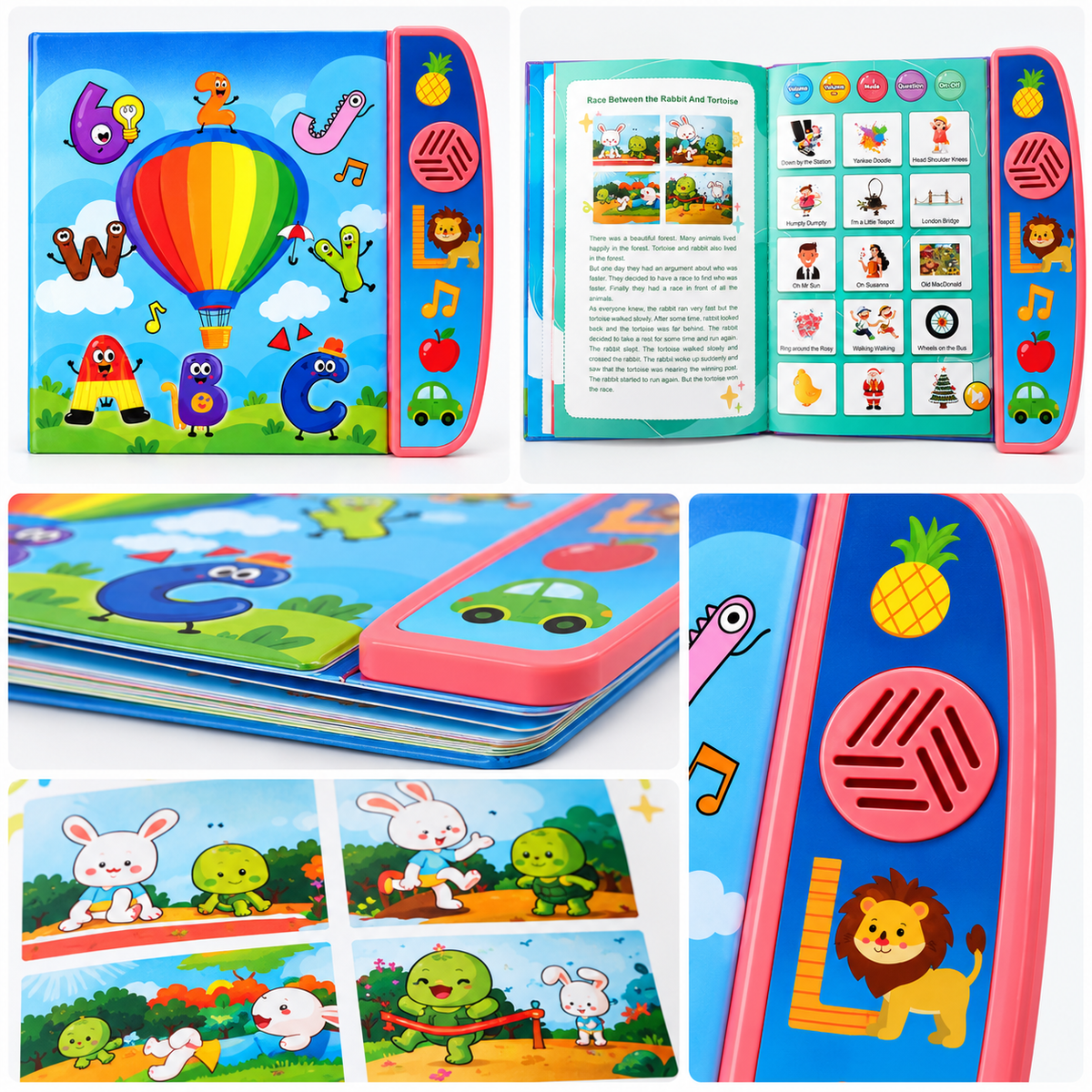
Interactive Early Learning Audio Book & Learning Tablet Series
Interactive Early Learning Audio Book & Learning Tablet Series
Couldn't load pickup availability

Interactive Early Learning Audio Book & Learning Tablet Series
Interactive Early Learning Audio Book & Learning Tablet Series
A colorful early-learning product collection available in interactive audio book and tablet-style learning formats. The series offers multiple color and model choices, making it easy to select a configuration that matches different learning and play preferences.
Product Highlights
Two Learning Formats
Choose between an interactive audio book format and a tablet-style learning device.
9-Page / 18-Side Audio Book
The audio book configuration includes 9 pages and 18 learning sides for extended interactive use.
Multiple Color Choices
Audio book options are available in Blue and Pink, while tablet-style learning devices are available in Pink, Blue, and Blue-Green.
Multiple Tablet Models
Choose between 2020 and 2020B tablet-style learning device configurations.
Simple Variant Selection
Each option is clearly separated by product format, model, and color for easier selection before purchase.
Product Specifications
Product Type: Interactive Early Learning Product
Available Formats: Audio Book / Tablet-Style Learning Device
Audio Book Page Count: 9 Pages
Audio Book Learning Sides: 18 Sides
Audio Book Colors: Blue / Pink
Tablet Models: 2020 / 2020B
Tablet Colors: Pink / Blue / Blue-Green
Available Options
Blue Early Learning Audio Book — 9 Pages / 18 Sides
Pink Early Learning Audio Book — 9 Pages / 18 Sides
2020B Pink Tablet Learning Device
2020B Blue Tablet Learning Device
2020 Pink Tablet Learning Device
2020 Blue Tablet Learning Device
2020 Blue-Green Tablet Learning Device
How to Use
Step 1: Select the preferred product format and color.
Step 2: For the audio book, open the product and access the available learning pages.
Step 3: Explore the 9 pages and 18 learning sides during regular learning activities.
Step 4: For the tablet-style learning device, prepare the selected model for use.
Step 5: Use the learning areas according to the selected product configuration.
Step 6: Store the product properly after use.
Care & Usage Instructions
Cleaning: Wipe the exterior gently with a soft dry or slightly damp cloth.
Handling: Avoid excessive bending, dropping, or strong impact.
Moisture Protection: Keep the product away from water and excessive moisture.
Storage: Store the product in a clean and dry location when not in use.
Inspection: Stop using the product if any part becomes visibly damaged.
Variant Check: Confirm the selected format, model, and color before purchase.